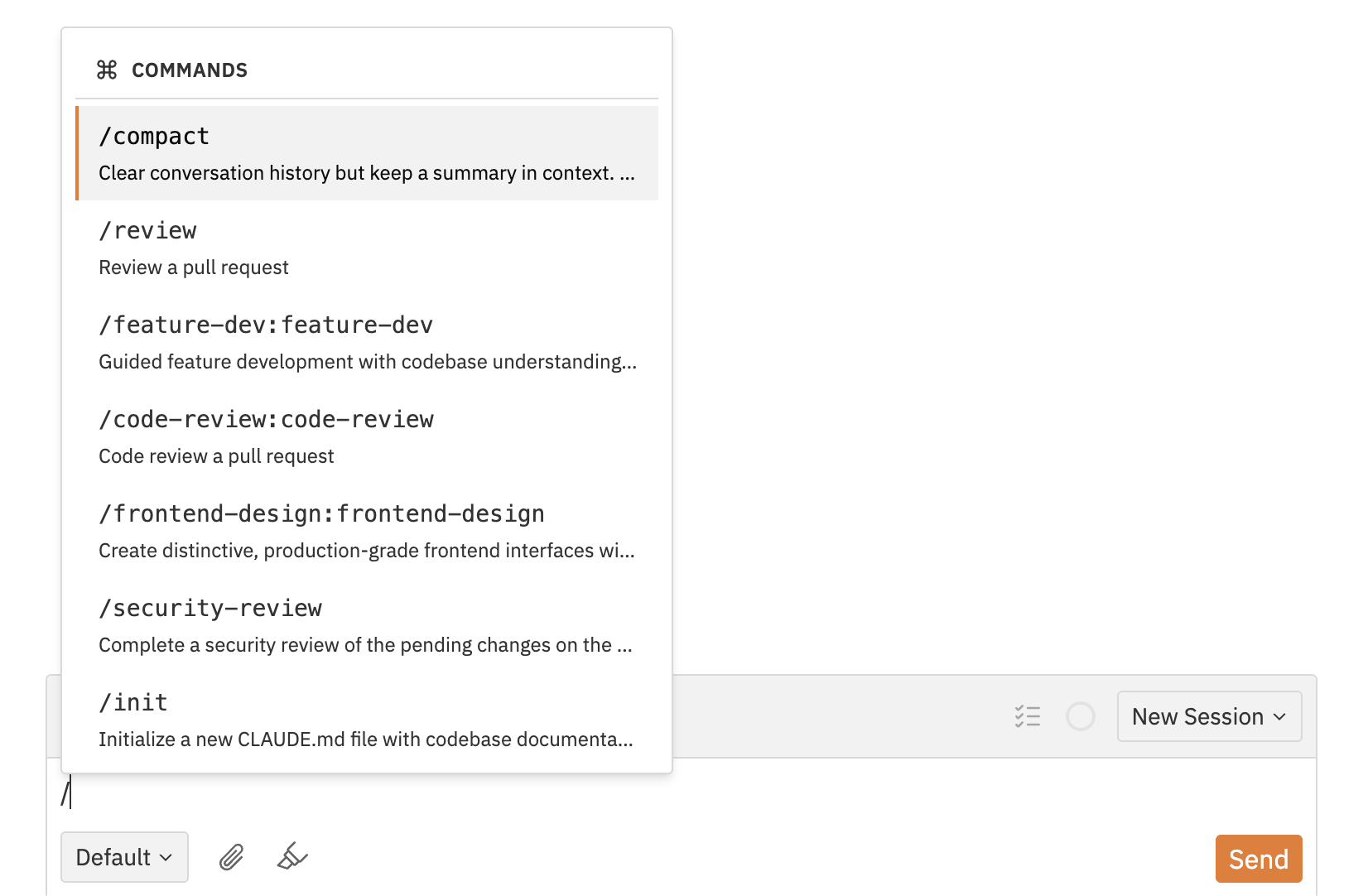
/ followed by a command name to run operations such as
compacting conversation history, initialising project guidance, or inspecting
MCP status.
Using Slash Commands
- Type
/at the beginning of a new line in the chat input - Wait for the typeahead menu to appear
- Continue typing to filter commands
- Press Enter or click a command to select it
- Add optional arguments if the command accepts them
- Send the message as normal
Available Commands
Jaidu exposes the same non-interactive slash commands that Codex makes available in its CLI environment.Commands that require an interactive TUI flow are not available in Jaidu.
| Command | Description |
|---|---|
/compact | Summarise the conversation to free tokens |
/init | Generate an AGENTS.md scaffold in the current directory |
/status | Display thread configuration and token usage |
/mcp | List MCP status from the Codex app server. Output is labeled when it is base host status rather than the selected per-turn runtime preset. |
Command Discovery
When a workspace thread starts, Jaidu discovers the available Codex slash commands automatically. The typeahead shows Discovering commands… while this is happening. Commands are cached per workspace so subsequent uses are instant.If you change your Codex installation or slash-command environment, refresh by
creating a new thread.