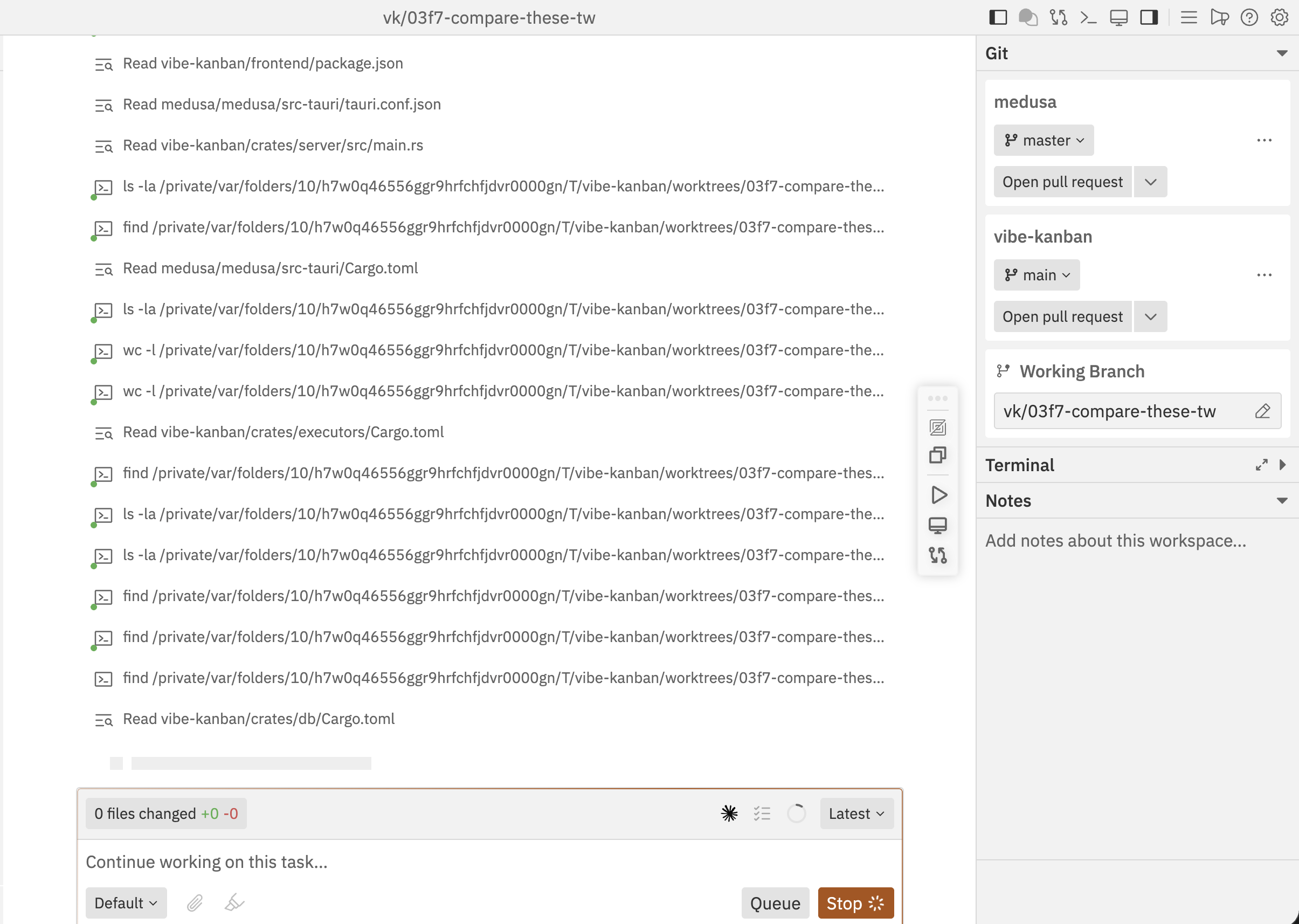
Multi-Repository Support
Add multiple repositories to a single workspace to work on cross-repo tasks.Adding Repositories
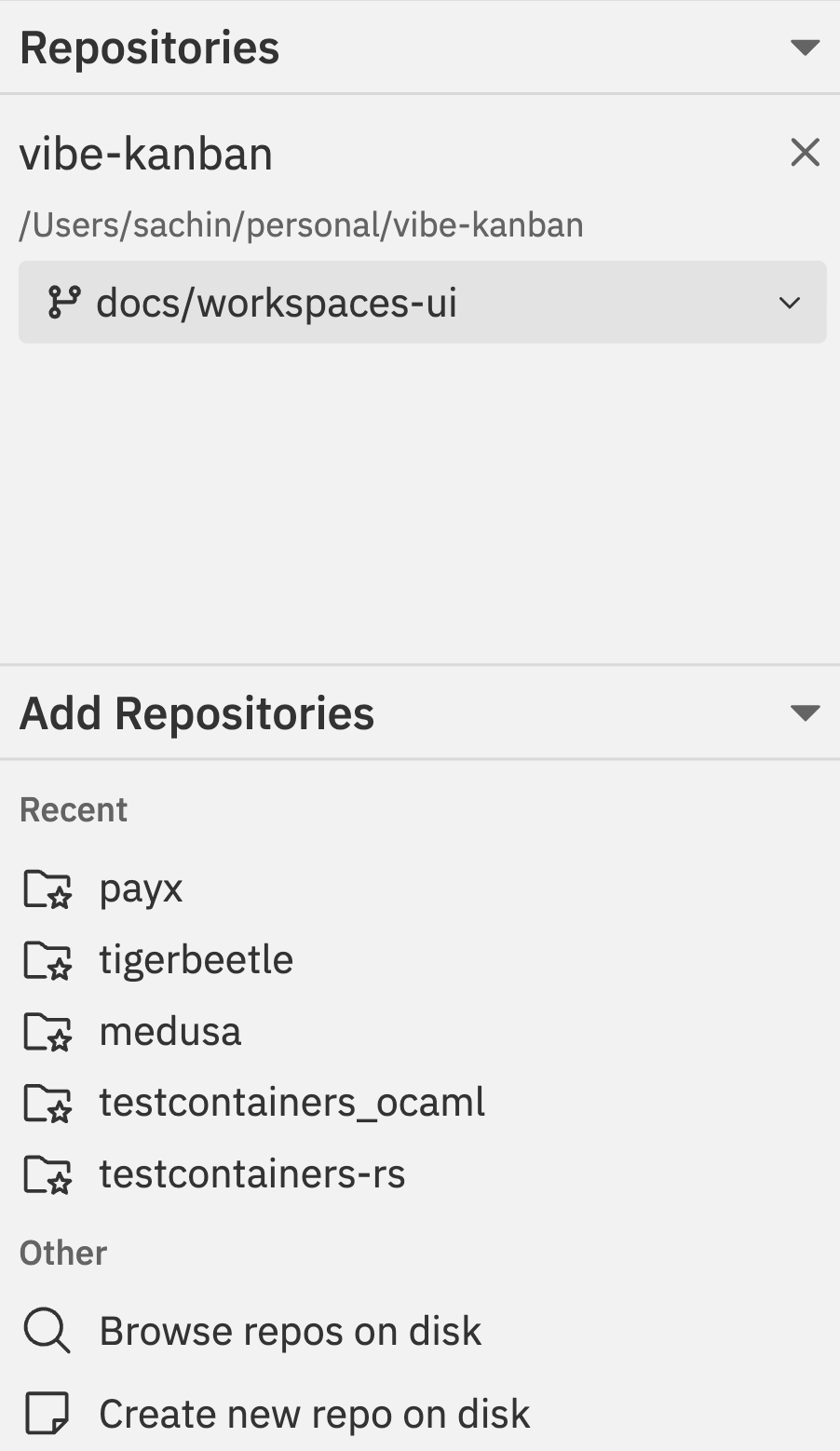
- Click the + button in the workspace sidebar
- Select your project from the dropdown
- Click repositories from the Add Repositories list to include them
- Set the target branch for each selected repository
- Each repo maintains independent git state
Working Across Repos
With multiple repositories in a workspace:- Reference code from one repo while implementing changes in another
- Implement coordinated changes across multiple codebases
- Manage git operations independently per repository
- View changes from all repos in a unified diff view
Repository Panel
Each repository in the workspace shows:| Information | Description |
|---|---|
| Repository name | With status indicator |
| Current branch | The working branch |
| Target branch | Branch to merge into |
| Changes count | Uncommitted modifications |
| Commits ahead/behind | Relative to target branch |
Per-Repository Actions
Access repository-specific actions via the command bar:- Copy Repo Path - Copy the repository path
- Repository Settings - Configure repo options
- Git Operations - PR, merge, rebase per repo
Multiple Threads
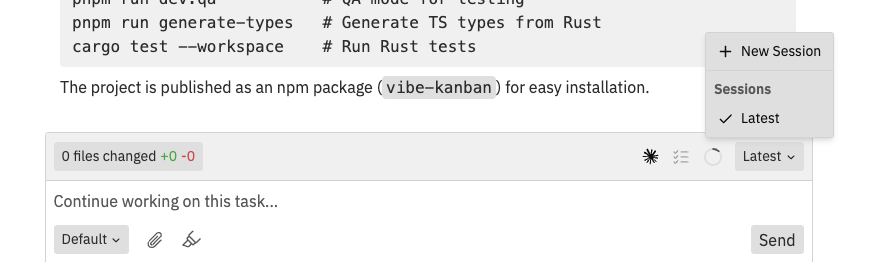
Why Use Multiple Threads?
- Token limits: Start fresh threads when conversations get long
- Parallel work: Run different tasks or runtime resource selections simultaneously
- Code review: Start a dedicated review thread
- Experimentation: Try different approaches in separate threads
Creating a New Thread
- Click the thread dropdown in the chat box toolbar
- Select New Thread from the dropdown
- Select the runtime resources to use for the first message
- Start your conversation
Switching Between Threads
The thread dropdown in the chat box toolbar shows all threads:- Latest - the most recent thread
- Older threads show their creation timestamp
- Click any thread to switch to it
- Each thread maintains its own conversation history
Thread Indicators
| Indicator | Meaning |
|---|---|
| Running | Agent is actively processing |
| Idle | Thread waiting for input |
| Runtime resources | Shows which workspace runtime resources are selected for the next turn |
Running Multiple Threads
Different threads can use different runtime resource selections:- Create a new thread
- Select a different runtime preset or custom resource set
- Both threads can run in parallel
- Switch between them to monitor progress
Each thread operates independently. Changes made by one Codex thread are visible to other threads through the shared workspace files.
Example: Full-Stack Feature
Here’s a practical workflow for implementing a feature across frontend and backend repositories:Create workspace with both repos
Create a new workspace, select your project, and add both
frontend and backend repositories. Set target branches to main for both.Agent works across repos
Codex reads code from both repositories and makes coordinated changes. It understands the relationship between frontend and backend.
Test integration
Start the dev server (if configured for one repo, you may need to start the other manually via terminal). Test that the frontend correctly calls the backend.
Create separate PRs
Create a PR for each repository:
- Open command bar (
Cmd/Ctrl + K) - Go to Repo Actions
- Select Create PR for the backend repo
- Repeat for the frontend repo
- In PR descriptions, reference the related PR
Best Practices
Multi-Repo Workflows
- Start with a plan: Describe the cross-repo changes needed upfront
- Coordinate commits: Ensure related changes are committed together
- Test integration: Use the preview to verify repos work together
- Create linked PRs: Reference related PRs across repositories (e.g., “Related to frontend#123”)
Thread Management
- One focus per thread: Keep each thread focused on a specific goal
- Document in notes: Use workspace notes to track which thread does what
- Limit concurrent threads: Too many active threads can be confusing
- Review before switching: Check the changes panel when switching threads
Related Documentation
- Interface Guide - Understanding the workspace layout
- Git Operations - Managing git across repositories
- Command Bar - Quick actions for repo management