Accessing Repository Settings
- Open Settings from the Workspaces navbar
- Select the host that owns the repository
- Select Repositories
- Choose a repository from the dropdown to view and modify its settings
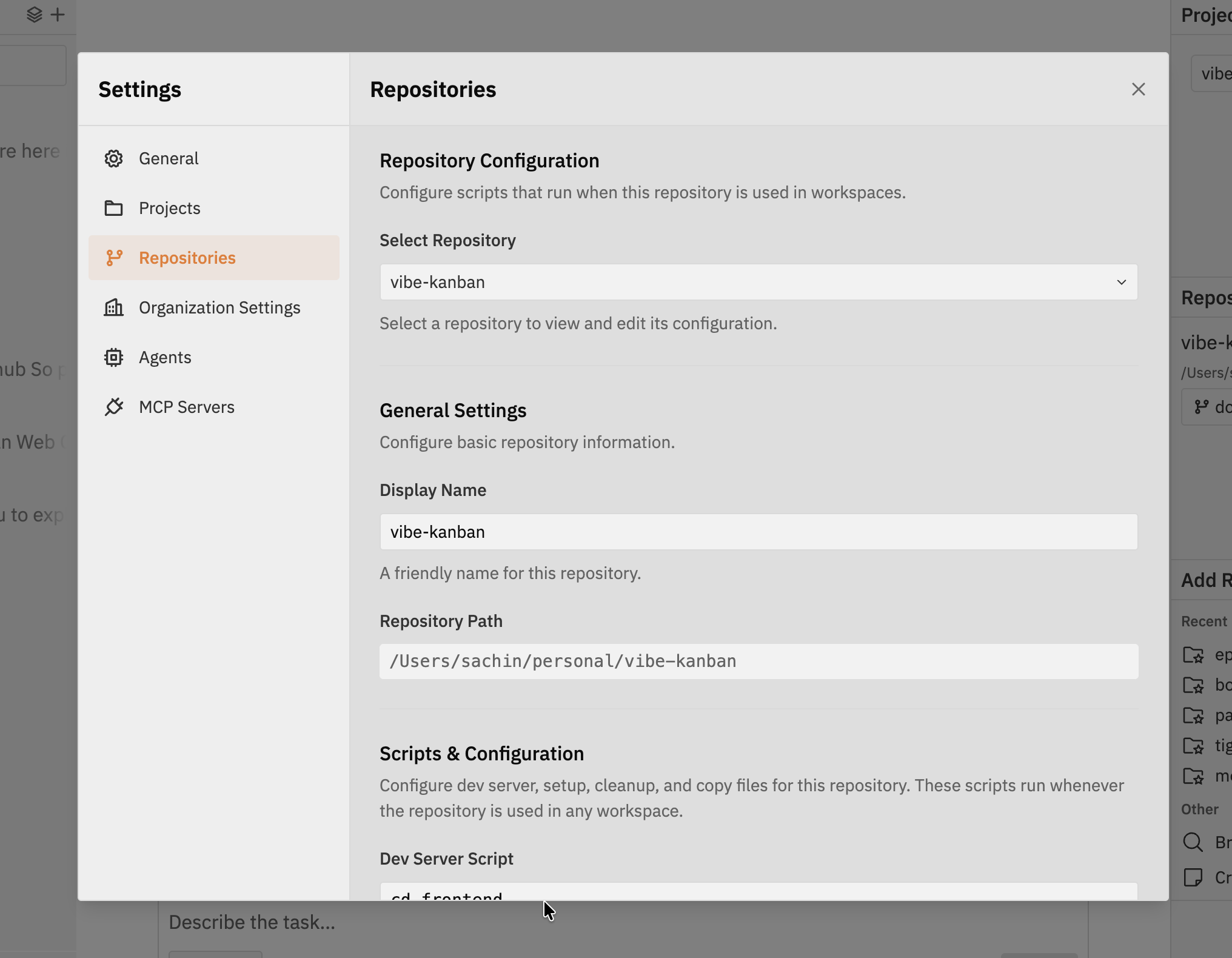
Repository Selection
Use Select Repository to choose the repository you want to configure. Click Add Repository to register another git repository on the selected host.Repository settings are host-specific. Select the registered host that owns the
repository before editing its settings.
General Settings
Configure repository identity and workspace defaults:- Display Name - A friendly name for this repository
- Repository Path - The local path to the repository on the selected host
- Default Working Directory - A subdirectory relative to the repository root where Codex starts for single-repo workspaces
- Default Target Branch - The default base branch for new workspaces and pull requests
Linked Projects
The Linked Projects section shows projects that use this repository in their default workspace configuration. It is a read-only summary for understanding where the repository is already used. Project-level default repositories are managed from Settings -> Projects on the Remote Projects page.Scripts & Configuration
Configure scripts and copied files for this repository. Scripts run on the registered host from the repository worktree.Dev Server Script
Command to start your development server. This enables the built-in preview browser in Workspaces when Jaidu detects the dev server URL. Common examples:| Framework | Command |
|---|---|
| Vite | npm run dev |
| Next.js | npm run dev |
| Create React App | npm start |
| Django | python manage.py runserver |
| Rails | rails server |
Browser Testing
Learn how to use the built-in preview browser with your dev server
Setup Script
Commands that run after the worktree is created and before Codex starts. Use this for setup tasks like installing dependencies or preparing the development environment. You can also enable Run setup script in parallel with coding agent when the setup script does not need to finish before Codex starts. Examples:Cleanup Script
Commands that run after Codex execution, only if changes were made. Use this for quality assurance tasks like formatting, linting, tests, or other validation. Examples:| Use Case | Command |
|---|---|
| Stop Docker containers | docker compose down |
| Kill background processes | pkill -f "node server.js" |
| Clean build artifacts | rm -rf dist/ .cache/ |
| Stop PostgreSQL | pg_ctl stop -D /usr/local/var/postgres |
| Kill process on port | lsof -ti:3000 | xargs kill -9 2>/dev/null |
| Language/Tool | Command |
|---|---|
| JavaScript/TypeScript (Prettier) | npx prettier --write . |
| JavaScript/TypeScript (ESLint) | npx eslint --fix . |
| Rust (cargo fmt) | cargo fmt |
| Rust (Clippy) | cargo clippy --fix --allow-dirty |
| Python (Black) | black . |
| Python (Ruff) | ruff check --fix |
| Go | go fmt ./... |
Archive Script
Commands that run when a workspace is archived. Use this to stop services, release resources, or save state that should be handled when work is moved out of the active workspace list.Copy Files
A comma-separated list of files to copy from the original repository directory to the worktree. This is useful for files like.env or local config files that
are intentionally not committed.
Best Practices
Keep scripts fast
Keep scripts fast
Long-running setup scripts delay workspace startup. Install dependencies in setup, but avoid lengthy build processes unless necessary.
Use relative paths
Use relative paths
Scripts run from the repository worktree. Use relative paths or environment variables rather than hardcoded absolute paths.
Handle errors gracefully
Handle errors gracefully
Add
|| true to commands that might fail but should not block the workspace:Test scripts locally
Test scripts locally
Run your scripts manually in a terminal before configuring them in Jaidu to ensure they work correctly.
Related Documentation
Browser Testing
Learn how the dev server integrates with the preview panel
Multi-Repository Threads
Working with multiple repositories in a single workspace