What is a Workspace?
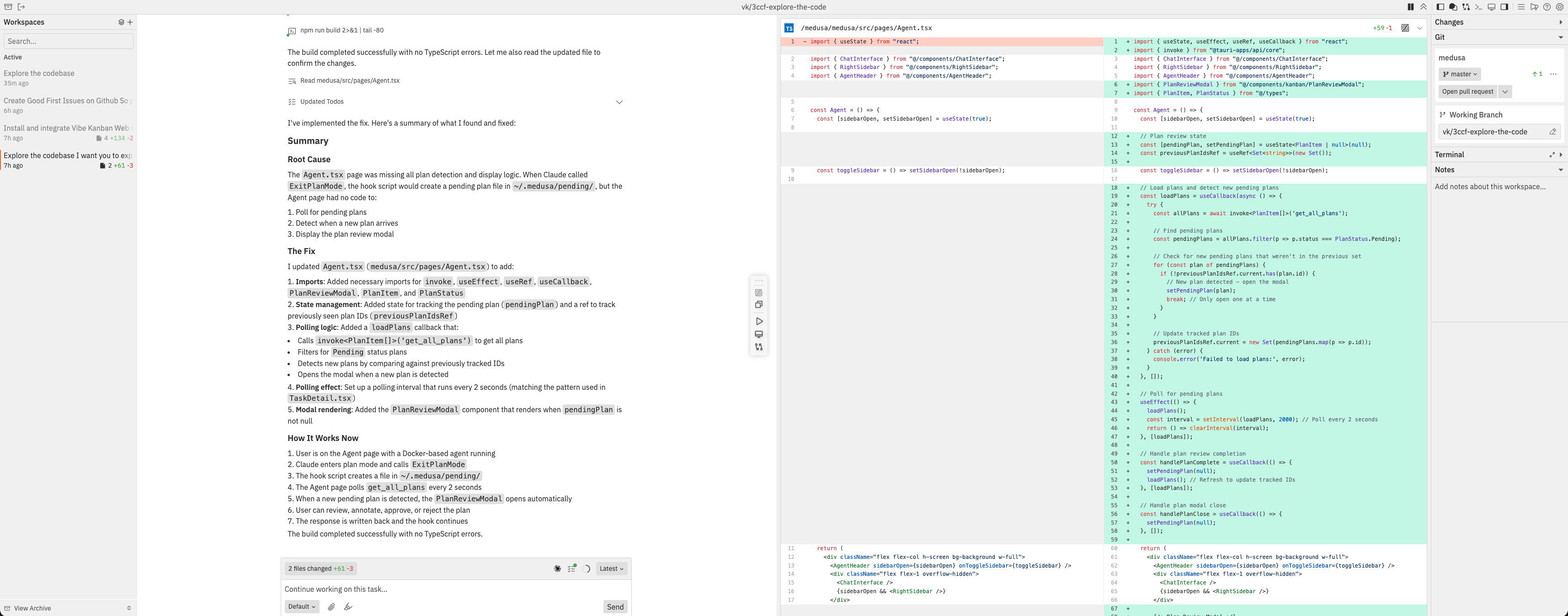
A workspace is a host-side folder plus a Git branch for completing a coding task. Use it when you want to:- Work on a specific task - Each workspace focuses on one goal (e.g., “Add user authentication”)
- Chat with Codex - Codex reads files, writes code, and runs commands on the selected host
- Review changes - See exactly what code was added, modified, or deleted
- Test your application - Built-in preview browser to see changes in action
- Create pull requests - Submit your changes for review when ready
Workspaces isolate issue-focused Codex work from your original repository
folder. The control plane coordinates state, while
jaidu-agent performs the
filesystem, Git, terminal, preview, and Codex work on the host.Key Concepts
| Concept | Description | Example |
|---|---|---|
| Workspace | A host-side execution folder and Git branch where you work with Codex | ”Add user authentication” |
| Repository | A git repository included in a workspace | frontend, backend |
| Thread | A conversation thread with Codex | Codex thread for implementing a feature |
- A workspace is your working environment for a specific task
- A workspace can contain one or more repositories (each with independent git state)
- Within a workspace, you can have multiple threads to restart context or separate independent workstreams
- Branch/fork actions create a new workspace from the current workspace state
frontend and backend repositories. Within that workspace, you might have one thread for implementing the backend API and another thread for the frontend UI.
Key Features
Multi-Repository Support
Work across multiple repositories within a single workspace. Reference code from one repo while implementing changes in another.
Multiple Threads
Run multiple Codex conversations in one workspace. Work around token limits by starting fresh threads while keeping the same files and Git state.
Workspace Branching
Fork the current workspace state into a new branch and worktree. Dirty workspaces get an automatic checkpoint commit first.
Browser Testing
Built-in browser preview without leaving the workspace. Test across desktop, mobile, and custom viewport sizes.
Changes Panel
Review code modifications with syntax-highlighted diffs. Add inline comments to provide feedback to Codex.
Integrated Terminal
Built-in terminal for running commands directly in your workspace. New to the Workspaces UI.
Workspace Notes
Notes for each workspace to document important information. New to the Workspaces UI.
Command Bar
Central navigation hub for quick actions. Access every workspace action with keyboard shortcuts.
Scenario Workflows
Start installed scenario workflows from workspace chat and respond to human gates.
Common Questions
What happens to my code when I create a workspace?
What happens to my code when I create a workspace?
When you create a workspace, the selected host:
- Creates a git worktree - a separate working directory linked to a new branch
- Your original repository stays untouched
- All changes happen in the worktree on a new branch
- Nothing is pushed to remote until you explicitly create a PR
Can I work on multiple tasks at once?
Can I work on multiple tasks at once?
Yes. Each workspace is completely independent:
- Create as many workspaces as you need
- Each has its own branch, changes, and threads
- Switch between workspaces using the sidebar
- Codex threads in different workspaces do not share branches or folders
What if Codex makes a mistake?
What if Codex makes a mistake?
You have full control:
- Review changes in the Changes panel before committing
- Add comments on specific lines to request fixes
- Edit messages to retry with different instructions
- Start a new thread if the conversation goes off track
- Delete the workspace if you want to start completely fresh
How do I know when Codex is done?
How do I know when Codex is done?
Watch for these indicators:
- Status in sidebar changes from “Running” to “Idle”
- Chat shows completion message or asks for next steps
- Changes panel shows all modifications made
What's the difference between a Project and a Workspace?
What's the difference between a Project and a Workspace?
- Project = A container that groups related repositories (configured once in Settings)
- Workspace = A task execution environment for a specific coding task